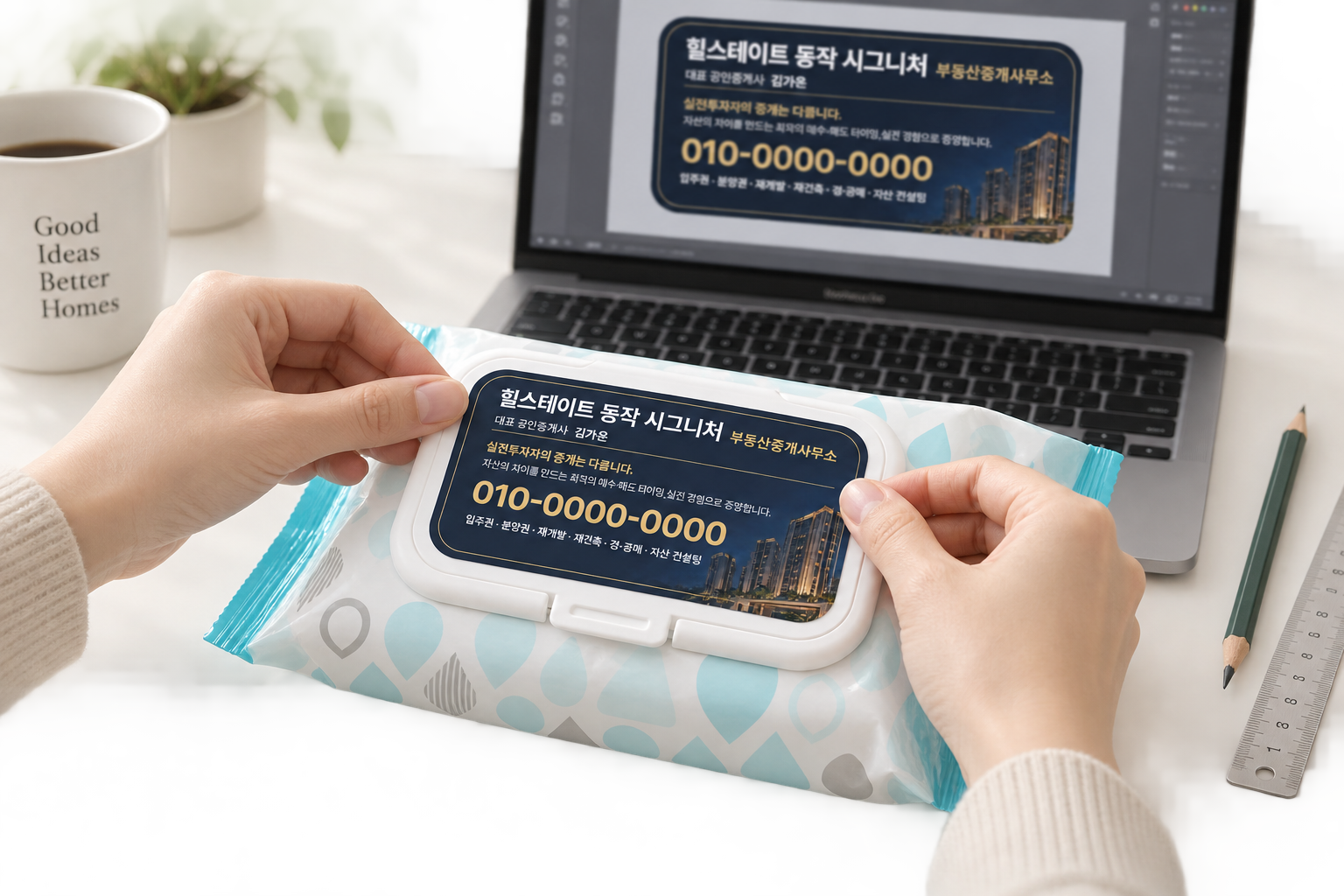
Can we delegate not just an output,
but the workflow behind it?
Creating images with AI is no longer unfamiliar. But real design work does not end with a single image. It involves understanding a brief, checking specifications, creating editable source files, incorporating feedback, and preparing a mockup that helps someone understand the result.
I worked through this entire process with AI while making stickers for wet-wipe packs to promote a real estate office opening. Rather than writing a perfect prompt at the start, I looked for problems in each result and let AI pick up where my own adjustments left off.
When we ask AI to handle design,
what are we actually asking it to do for us?
Even a small sticker
needed clear criteria first.
The brief came with three things: a photo of the wet-wipe pack, the required copy and color direction, and an Illustrator dieline supplied by the manufacturer. The sticker was small, but the business name, contact person, specialty, phone number, and address all had to be readable. It also needed to convey a sense of reliability.
Rather than simply showing AI all the materials, I needed to explain which decision each reference should guide . The product photo showed the placement, the Illustrator file established the dimensions, and the copy reference indicated the information hierarchy.
Instead of finishing in one pass,
I narrowed down one problem at a time.
The workflow, from brief to delivery
I explained the client's materials to AI, worked in Illustrator, and showed how the design would look on the product. This table brings the process together.
| Stage | Who did what | What moved forward |
|---|---|---|
| 01Explain the brief | Me → conversational AI, such as ChatGPT or Claude I shared the supplied product photo, copy, dimensions, and desired atmosphere, and explained what needed to be made. | Design criteria |
| 02Connect Illustrator and start work | AI + Adobe Illustrator I connected AI to work directly in Illustrator, arranging text and shapes to create the first concept. | An editable first concept |
| 03Request revisions | My review → AI revisions I checked for missing copy and hard-to-read areas, then told AI what needed to change. | A revised concept |
| 04Add the human touch | Me · the director's judgment I decided what to emphasize, assessed the overall balance, and adjusted the parts that needed my own touch. | Design direction and revision criteria |
| 05Generate the background | AI image-generation skill I described the colors and atmosphere to generate a nighttime residential-complex background for the design. | Background image |
| 06Finalize type size and layout | Me + Illustrator With the background in place, I adjusted type sizes, positions, and spacing so the key information was easy to read. | Approved layout |
| 07Refine the background | My instructions → AI revisions I kept the approved text and layout unchanged and asked AI to blend only the background so the photo edges disappeared. | Final design |
| 08Create and send the mockup | AI visualization → client delivery I generated a mockup showing the finished sticker on the wet-wipe pack, then sent it alongside the production source files. | Review mockup + production files |
This was not a single, straight pass. I returned to earlier steps as I reviewed the results. The mockup helped the client understand the design, while separate source files remained the reference for production.
First, I made an editable initial concept.
I worked in Illustrator so that the business name or phone number could later be selected and changed directly. I first set the type sizes and positions to make the important information stand out. While reviewing the first concept, I noticed that one sentence requested by the client was missing.
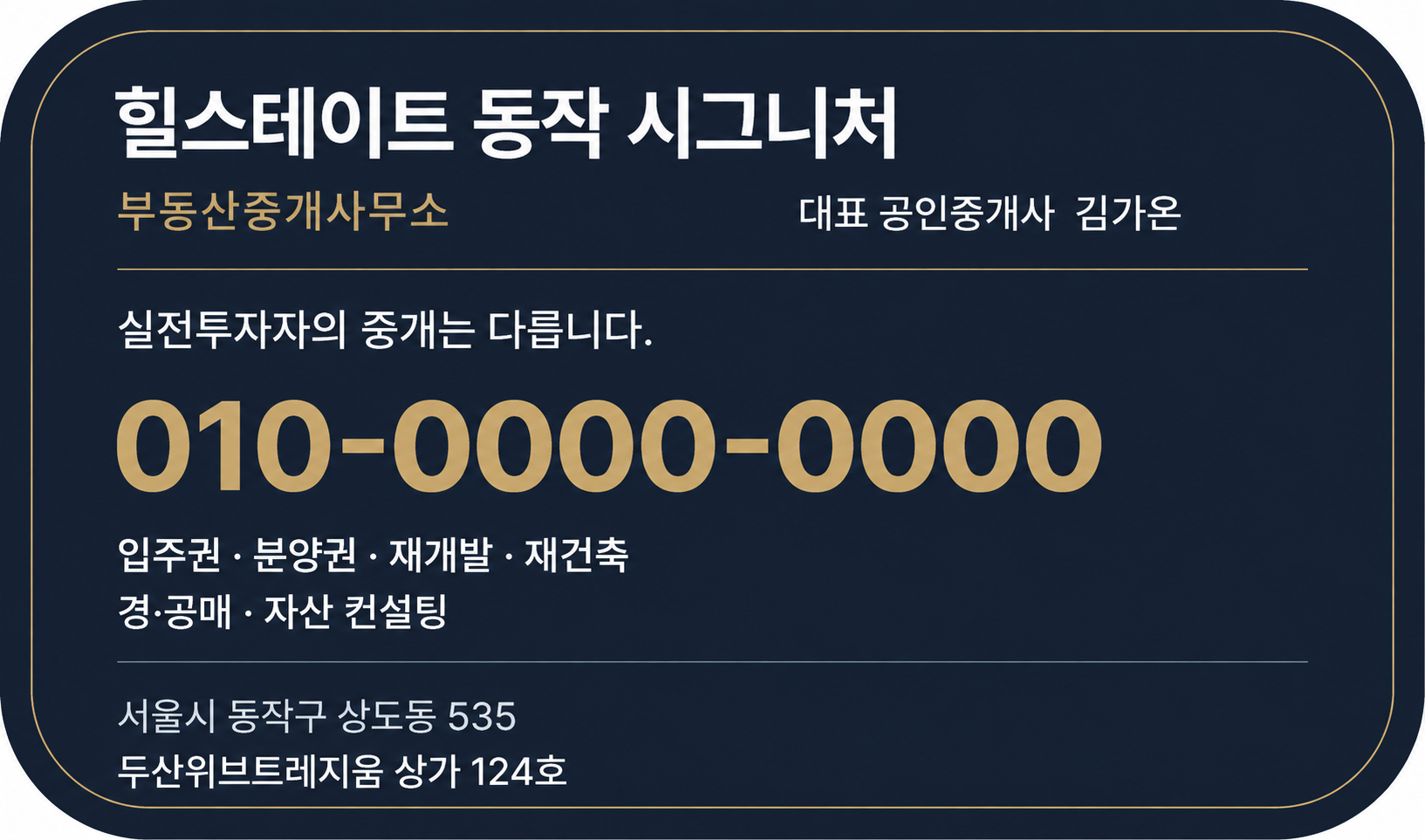
I added the missing sentence and developed the atmosphere.
While restoring the copy, I added a residential complex at night with warm architectural lighting. The background was AI-generated, while the important information remained editable text.
Add the missing sentence and a nighttime residential-complex background that works with the deep navy and gold palette. Keep the contact details and address as editable text.

After adjusting the layout myself, I delegated only the remaining change.
I adjusted the type size, placement, and scale of the buildings directly in Illustrator. Reducing the buildings made the information more readable, but exposed the rectangular edge of the image. Instead of regenerating everything, I narrowed the request: keep the text and layout, and blend only the background.
Keep the type sizes, text positions, and building scale exactly as I adjusted them. Do not change any other elements. Only blend the background so the edges of the photo are no longer visible.

Finally, I sent a scene that helped the client understand the result immediately.
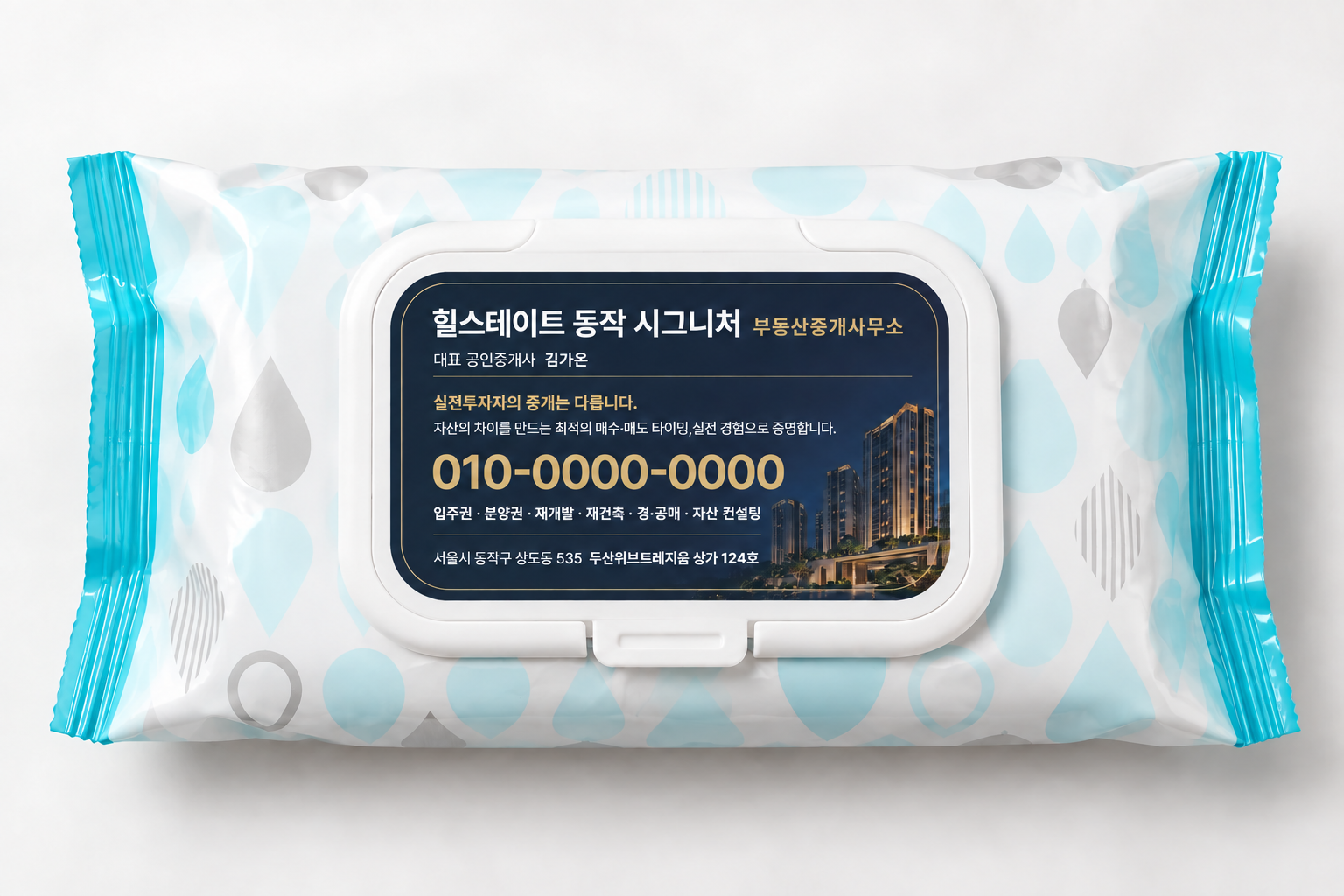
Using the final sticker and the original product photo as references, I created a mockup of the sticker on the wet-wipe lid. I sent this image alongside the production source files. Compared with a flat design file alone, it made the sticker's size, placement, relationship to the product color, and overall impression easier to understand.
As AI can execute more of the work,
- Park Siha, Brand & Creative Director
deciding what to preserve and how much to change becomes more important.
Better results came from clear decisions,
not longer prompts.
The most effective instructions in this project were not elaborate descriptions. They were sentences that separated what was already decided from what could still change, such as: 'Leave everything else as it is and change only the background.'
Trying to explain everything precisely from the beginning makes a request longer. Using the first result as a reference, identifying missing information or awkward details, and narrowing the next revision one step at a time lets AI continue with the context already established.
The core of this workflow was not automatic generation, but revision without losing context. The purpose defined in chat, the layout adjusted in Illustrator, the regenerated background, and the final mockup became one connected record of the work.
AI took on tasks,
but the director's judgment still mattered.
What AI executed
- Reviewing the supplied content and specifications
- Creating the initial concept and editable source files
- Generating and reconnecting the background image
- Visualizing the design on the product
- Organizing delivery file formats
What I decided
- Defining the brief's purpose and intended impression
- Spotting missing copy and readability problems
- Adjusting text and image sizes and positions
- Deciding what to preserve and what to revise
- Distinguishing production files from review mockups
I spent less time manually moving design elements, while identifying problems, choosing the next instruction, and deciding when the work was finished became more clearly my responsibility. Rather than replacing the director, AI felt more like a tool that turns a director's judgment directly into execution.
A six-step workflow
for the next design commission
Start with the use case.
Before describing what to make, establish where it will appear and who will see it.
Give every reference a role.
Explain which decisions the product photo, specifications, copy, and visual references should guide.
Keep changing information editable.
Separate names, contact details, and addresses from the image so they can be revised.
Find problems in the first result.
Make the reason for each revision specific: omissions, readability, dimensions, or visible image edges.
Say what stays and what changes.
Narrow the revision scope to preserve earlier decisions instead of regenerating everything.
Finish with files the next person can use.
Separate production sources, review PDFs, mockups, and instructions according to their purpose.
This approach may be
especially useful for these people.
- Solo brand operators wearing several hatsThose who want a more continuous process from planning and production to review and handoff.
- Designers handling repeated revisionsThose who want to change specific elements quickly while preserving what is already approved.
- Directors collaborating with external partnersThose who need to communicate the reasoning and next steps, not just deliver an output.
- People who want to use AI in real workThose who want to go beyond image generation into editing, review, and delivery.
Before you try a similar project
Can AI complete print-ready design on its own?
Why create the text and background separately?
Do longer prompts produce better results?
Can an AI mockup be used directly for production?
Are the names and phone numbers in the examples real?
Working with AI may mean
learning to explain our judgment better.
The biggest change in this project was not the design tool, but how I explained the work. I had to communicate not only what I wanted to make, but why something needed revision, what should remain unchanged, and what would count as finished.
Even a small sticker involved understanding a brief, selecting information, spotting awkward details, and helping someone understand the result. AI connected those execution steps more quickly, but it did not choose the direction for me.
I think the increasingly important skill is not writing longer prompts, but clearly articulating the conditions for a good result.