Is “make it look premium” enough
to get the design I want?
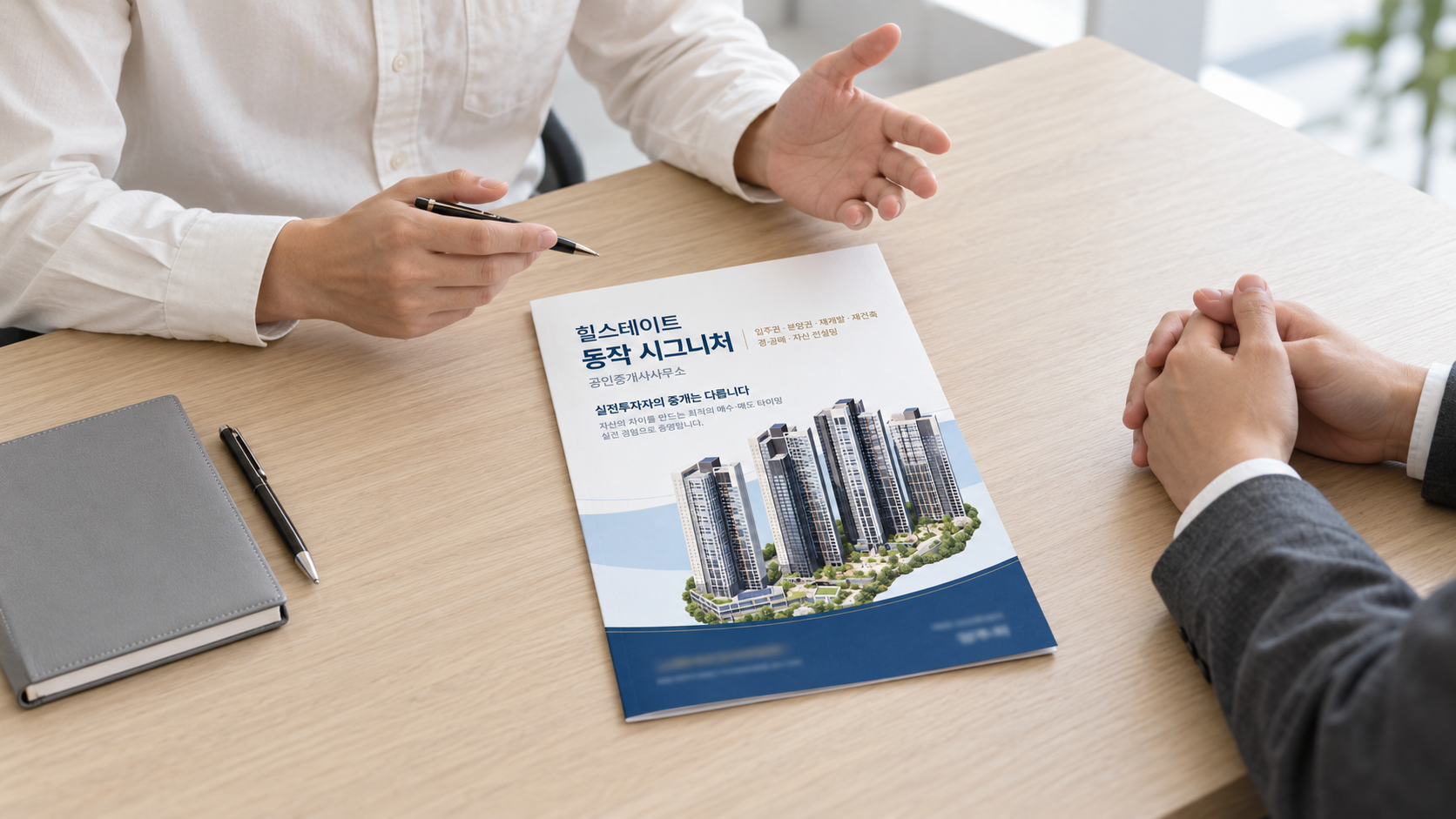
Even with the same materials, a design changes depending on what should stand out first and how it should feel. This time, I worked with AI not just to make an attractive image, but to create a pamphlet whose front and back covers connected naturally.
From a small sticker
to a pamphlet you can unfold.
After finishing the wet-wipe sticker, I was asked to design a pamphlet cover for the same real-estate office. The business name, specialties, and contact information had to move from a small sticker to a larger page. I wanted to carry the established mood forward while rethinking the cover's spacing and reading order.
Again, I described the direction in chat and asked AI to create the options. What stood out most was that the way I supplied the concept, colors, and references changed the options I had to review. The more clearly I described what I wanted, the more we could focus on revising the result in front of us instead of explaining everything again.
This article focuses on two things: giving AI the information it needs to understand the intended design, and revising the front and back as parts of one printed piece. I also trace how that process led to mockups using the final artwork.
I set the direction, made revisions,
and checked how the finished piece would look.
| Stage | What I actually did | What moved forward |
|---|---|---|
| 01The brief and direction | I supplied the sticker content, dimensions, concept, colors, and references. | A clear design brief |
| 02Two design options | I compared navy and white versions, then chose the lighter cover. | The selected cover concept |
| 03Connecting front and back | I checked the full spread and adjusted the broken curves and background levels. | A continuous cover spread |
| 04Hands-on edits and review | I adjusted text and images in Illustrator, then continued from that updated file. | Artwork I had reviewed myself |
| 05Adapting to another brief | I applied another property's materials and copy to the unused navy concept. | Two designs tailored to their briefs |
| 06Mockups from the final files | I used the final JPGs I had edited to visualize the paper, fold, and texture. | Mockups that help explain the design |
This was not a one-prompt job. I reviewed each result, made decisions, and continued by revising only what needed attention.
I gave “premium”
a more concrete meaning.
The first request included a PDF with pamphlet dimensions and the existing sticker content. I explained that I wanted a view of the apartment complex across the lower cover, with the title and other information above it. I also asked that navy should not fill the page so heavily that the design felt dark.
Design a pamphlet cover using the content from the existing real-estate promotional item.

Place an image of Hillstate Dongjak Signature in the lower area, and arrange the title and key information clearly above it.
Leave enough light, open space so the navy does not make the page feel heavy. Aim for a calm, refined impression.
Work from the attached dimensions and approved copy.
I kept the intent of my original request and refined the wording to make the requirements clearer.
I then added architectural advertisements and real-estate promotional references. Rather than copying the photographs, I wanted to study the large building images, the scale of the titles, generous white space, and curved divisions across the page. An abstract idea of “premium” now had visible points of comparison.
These three reference advertisements were supplied during the brief; they are not outputs from this project. Contact details in two references have been replaced with the example number 02-0000-0000 to avoid confusion with actual inquiry channels. The captions identify compositional ideas relevant to this cover.
| Input | What it communicated | What it clarified |
|---|---|---|
| Concept | A refined residential setting, light open space, and a professional real-estate cover | Prioritize architectural imagery and information hierarchy over decoration |
| Colors | Navy and white directions, with restrained gold accents | Compare two defined moods instead of searching for colors without a direction |
| Design references | Advertisements showing the relationship between buildings, titles, and open space | Give “premium” a shared visual meaning |
| Dimensions and content | The supplied PDF and existing wet-wipe sticker content | Separate new decisions from information to carry forward |
| Property materials | Supplied architectural renderings and apartment photographs | Define the starting point for the architectural background |
The efficiency I felt did not come from writing shorter prompts. When each reference has a clear purpose, AI has fewer things to decide arbitrarily. That made it easier to see where I could choose a direction or make a useful revision.
The same content became different covers
through background color and alignment.
Use the attached references to guide the scale of the buildings, title size, and open space.
Propose two comparable directions: one with a navy background and one with a white background.
Build both in Adobe Illustrator so the text and shapes remain editable.
The navy version used a centered title and champagne-gold accents for a more substantial impression. The white version used a left-aligned title, pale-blue curves, and generous space. Both centered on the apartment complex, but the reading order and overall brightness were different.
These are the early concepts used to compare directions. Contact details have been updated to the final 02 numbers; the subsequent copy and layout revisions are described below.
For Hillstate, I chose the second, white direction. Rather than repeating “make it more premium,” we could then discuss how the back cover should relate to the selected front. Limiting the concept and colors shifted the conversation from exploring preferences to making specific edits.
Two finished covers could still feel awkward
when opened together.
The back cover centered on the message “People are our greatest asset.” While the front introduced the business and property, the back expressed the agent's approach to their work. I asked for a faint image of the complex near the bottom to connect its mood with the front.
But when I placed the two sides next to each other, a problem became clear. The lower navy areas and curves met at different heights. Each page looked reasonable on its own, yet the background broke when viewed as a spread. What mattered now was not more decoration, but explaining that the front and back had to connect across one sheet of paper.
Revise the front and back covers so they connect naturally as one image when unfolded.
The back cover is on the left and the front cover is on the right. Match the background color, curve heights, flow, and band thickness at the center fold.
Keep the approved text and image placement, and focus on the awkward joins.
I changed the unit of review from each page to the complete spread. Each panel measured 210 × 297 mm; the unfolded cover measured 420 × 297 mm. With the back on the left and front on the right, I aligned the pale-blue band and lower navy curve across the center fold.
- View both panels togetherPlace front and back side by side
and check the center join - Align the boundariesMatch where the curves
and color areas meet - Align the flowCheck not just height,
but slope and band thickness - Review the full spreadInspect the revised artwork
and decide the final placement
AI did not get the folding structure right on the first attempt. I pointed out the awkward connection and worked through revisions using the full spread as the reference.
I also adjusted text and image positions myself and supplied that file as the starting point for the next step. Rather than accepting AI's output unchanged, the process involved my reviewing the page and making a decision, AI putting that decision into the design, and my checking it again.
The background was an image;
names and contact details stayed easy to edit.
In this project, AI and Adobe came together in Illustrator running on my Mac. Screen interactions handled documents and menus, while JSX scripts run through Illustrator's script menu created and edited text, shapes, and layers. I checked the final spreads in Illustrator and in the exported images.
The background imagery and frequently changing business names, phone numbers, and agent names served different roles. I placed the architectural visuals as separate images and kept text, background colors, and curves editable in Illustrator. That meant changing one contact detail did not require regenerating the whole cover.
What image generation handled
Creating or isolating architectural imagery from supplied renderings and photographs, and applying the approved artwork to mockups that visualized a printed piece.
What Illustrator handled
Title and body-copy placement, colors and curves, front-and-back alignment, agent and contact changes, and saving editable originals and review images.
Execution was not always smooth. At one point, the file picker did not respond to automated clicks, so the screen connection had to be re-established and the action retried. Including those moments, the workflow was less “one instruction finishes everything” and more a collaboration that moved forward through clear direction and checks on execution and results.
This describes the local Illustrator control method actually used for this project. Connecting a particular tool does not automatically reproduce the whole workflow. The architectural visuals and final mockups were made with the built-in image-generation tool.
The unselected concept became
a starting point for another brief.
I adapted the initial navy direction into a cover for Sangdo Tresium Real Estate. This was not simply a name change. I supplied new photographs of the Sangdo Doosan We've Tresium complex and asked AI to use them to generate replacement architectural imagery. The palette became navy, gray, and white.
Use the first navy concept as the starting point for a new pamphlet for Sangdo Tresium Real Estate.
Refer to the attached photographs of Sangdo Doosan We've Tresium to generate a new apartment image and replace the existing buildings.
Use navy, gray, and white. Include the Korean wording for Apartments · Retail Property · Presale Rights · Occupancy Rights · Redevelopment.
Keep the overall structure as a reference, but apply the business name and property information from this new brief.
I kept the intent of my original request and refined the wording to make the requirements clearer.
References mattered here too. The background I originally liked included the roads and buildings around the complex, but that impression changed during editing. I showed the earlier image again and explained why I preferred it. Rather than simply saying “put it back,” resupplying the actual result I wanted to preserve made the revision target much clearer.
I then specified the navy color value and updated the agent and phone number. Finally, I supplied a JPG in which I had added a faint property image to the back and refined the scale of the typography. The mockup used this version I had edited, not an earlier file saved by AI.
| Detail | Hillstate Dongjak Signature | Sangdo Tresium |
|---|---|---|
| Selected direction | White · Pale blue · Navy · Gold | Navy · Gray · White |
| Principal real-estate agent | Yang Juhee | Yang Junseop |
| Final phone number on both panels | 02-813-2070 | 02-813-3658 |
| Back-cover message | People are our greatest asset | A message about how thoughts, actions, habits, character, and destiny change |
The structure and workflow can be reused, but each brand's content must remain distinct. Separating what could carry forward from what needed new input made the second design more efficient.
Once the spread was understood,
I could visualize it on paper.
After finalizing the artwork, I attached the revised JPG and requested a mockup. Because the image contained both covers, the middle had to remain the fold, with the back on the left and the front on the right.
The attached spread is the final version with the phone number and layout checked. Use this file for the mockup, not an earlier concept.
The back cover is on the left, the front cover is on the right, and the paper folds in the middle.
Preserve the business name, agent name, contact details, and design placement. Add paper texture and natural shadows.
I refined the original request, which included the final spread JPG, by bringing together the conditions already shared in the conversation.
The actual request at the time was brief. We had already established the purpose, dimensions, and spread structure, and I supplied the finished artwork directly. The generated mockup used that image as its printed surface, showing the pamphlet opened on a light-gray background with thin paper edges, a center fold, and soft shadows.
- Specify the latest artwork as the input
I used the final JPG whose contact details I had checked, rather than reverting to an initial concept or earlier export.
- Explain the paper structure
I specified an A3 outer-cover spread, with the back on the left, front on the right, and fold in the center.
- Separate fixed content from visual treatment
Business name, phone number, agent name, and layout had to remain fixed. Paper texture, viewpoint, lighting, and shadows were the mockup's visual treatment.
- Check key details after generation
I checked each business's phone number and agent name in the two mockups and saved PNGs suitable for sharing.
The flat artwork let me review the layout; the mockup let me assess the overall impression when unfolded. It became easier to share how the curves across both panels and the balance of white and navy might feel on paper.
These AI-generated mockups are for visual review, not substitutes for print masters. Small text, architectural details, and paper proportions may change during generation. This case does not claim to verify physical print results or customer reactions.
Getting closer to the design I wanted required
context, intent, and references that matched them.
Concept, colors, and references communicate different things.
The concept described the intended impression; the colors established its tone; the references showed how images and text could work together. Combined, they turned “premium” into concrete points of comparison. For me, efficiency meant being able to judge options that were already closer to what I wanted.
Explain not just the elements, but how they relate.
“Make the front” and “make the back” did not fully communicate how the two should connect. Adding “they become one image when unfolded” shifted the review toward the heights and flow of the curves at the center fold. One sentence about the relationship between panels gave the revision a direction.
Use the finished file as the precise starting point for the next step.
I supplied the JPG I had edited and asked, “Make the mockup from this final version.” Remembering the earlier conversation mattered, but so did working from the latest file. Versions needed to stay clear as the project moved from concept to editable source, final artwork, and mockup.
I did not get a result I loved from the start. I compared two options, chose one, adjusted the positions of text and images, and unfolded the front and back to correct what felt awkward. The design came together not through one request, but through the accumulation of those choices.
SIHA’S NOTEI did not measure this project's efficiency in minutes or money saved. What I experienced was the ability to reuse the direction and materials already established, then identify specific problems to revise rather than start every request from scratch. My role was to set the direction and spot awkward connections; AI helped turn those decisions into concepts, edits, and mockups.
Next time, I want to share these requirements
from the beginning.
The following is not a verbatim transcript. It is a reusable prompt distilled from this experience, bringing together the concept, palette, role of references, and spread structure.
Using the attached materials, design the front and back pamphlet covers for [brand name].

1. Concept and colors
- Intended impression: [for example, a premium real-estate office with light, open space]
- Palette: [primary color value / secondary color / accent color]
- Information to read first: [business name / message / contact details]

2. The role of each reference
- Design references: study [title scale / building size / spacing / curves]
- Property photos and renderings: references for the architectural imagery
- Dimension file: the trim size and fold position
- Approved copy: use the supplied wording exactly

3. How the front and back connect
- One panel: [width × height]; full spread: [width × height]
- Back cover on the left, front cover on the right
- Connect background colors, curve heights, slopes, and band thickness naturally at the center fold.
- Review both the individual panels and the full unfolded spread.

4. Illustrator work and revisions
- Keep text, curves, and background colors editable.
- Place generated architectural imagery on a separate layer.
- If I supply a file I have edited, continue from that latest version.
- Preserve approved elements not named in the revision request.

5. Final mockup
- Use the spread image I explicitly designate as final.
- Preserve the back-left / front-right structure and center fold.
- Keep the wording, contact details, agent name, colors, and placement intact.
- Add paper texture, a natural viewpoint, and shadows.
- Compare the key information in the generated result with the final artwork.
- Deliver the editable source and visual-review mockup as distinct files.
The point is not to hand every decision to AI. It is to explain the conditions for the result I want through materials and words, then make the next decision based on what comes back. Continuously sharing those requirements is what carried a small wet-wipe sticker project into front-and-back pamphlet covers and mockups.
Who this may help
- If AI concepts keep feeling too vagueTry separating the roles of the concept, colors, and reference images when you brief AI.
- If you adapt similar designs into multiple formatsUse this process to distinguish reusable structure from content that needs fresh input.
- If you make your own edits before continuing with AISee how to identify the latest file and the elements that must stay unchanged.
- If you need to explain flat artwork to someone elseConsider a workflow that separates the working source from a mockup for visual review.
Frequently asked questions
What should I give AI first?
Can I design the front and back separately?
Why keep business names and contact details separate from the images?
Can I use an AI mockup as a print file?
How much time or money did this save?
Further thoughts
I learned more from the revisions than from the first result. Requests such as “the front and back need to connect,” “I want to keep this background,” and “use the final file I edited for the mockup” moved the work into its next stage.
I used to spend much of my time translating the direction in my head into work done by hand. Now, explaining that direction and judging the result have become more distinct parts of the job. That did not mean I could delegate my judgment too. Unfolding both sides, noticing what felt awkward, and deciding what to preserve were still my responsibility.
In the next project, I want to ask what decision is needed now before asking for more concepts. The clearer that question became, the less scattered the collaboration felt and the more naturally it moved into the next revision.