Why do we end up with thumbnails that look atmospheric but fail to communicate the video's content at a glance?
It started with hands-on experience.
Recently, while planning and creating several YouTube thumbnail images myself, I saw how much the results could change for the same video depending on how I structured the scene. At first, I focused on image quality and how the person was depicted. But even when the image looked beautiful, the video's subject and the reason to click were often not immediately clear. The person might look good without anything happening, or the background might be impressive without any evidence connecting it to the title.
AI image tools can produce a thumbnail quickly. But a visually striking result did not automatically become a thumbnail that earned clicks. Comparing several concepts made me realize that, before generation techniques, I needed to resolve one question: 'What scene should this video's title become?'
When given an abstract atmosphere such as 'an amazing place' or 'a special product,' AI tends to create a generically plausible scene. By contrast, when I defined in one sentence who was doing what, where, and which object proved the fact in the title, the image's role became clear. The difference between thumbnails began not with an elaborate prompt, but with the process of translating the idea into a specific scene.
I also found that the scene easily became unstable when I put people, location, expression, structures, title space, and detailed edits into a single instruction. More people appeared, hands and gaze directions went wrong, and a face or composition that had been right in one version could change again in the next edit. So I separated the work into stages: check only the overall composition in the first generation, then change one problem at a time.
The most effective review happened not on a large monitor, but on a small screen. If the subject, event, and key evidence were not clear within 2 seconds when I reduced the image to phone size, I removed elements rather than adding detail. Through this work, I arrived at a useful standard: a good thumbnail is not an image full of information, but an image that quickly substantiates the essence of the title.
Key perspective
A thumbnail is not a miniature version of a video. It is a promise a viewer receives before clicking. If the title creates a question, the thumbnail should provide visual evidence for that question. Strong emotion without evidence can make it provocative but vague; evidence without a person may communicate the facts while weakening tension and connection.
A dependable thumbnail has five elements: subject, proof, action, emotion, and space. The subject tells us whose story it is, and proof establishes the fact in the title. Action shows what is happening now, while emotion conveys why the scene deserves our attention. Space explains the context in which the event takes place. The important thing is not to make all five elements large, but to retain only the roles the video needs.
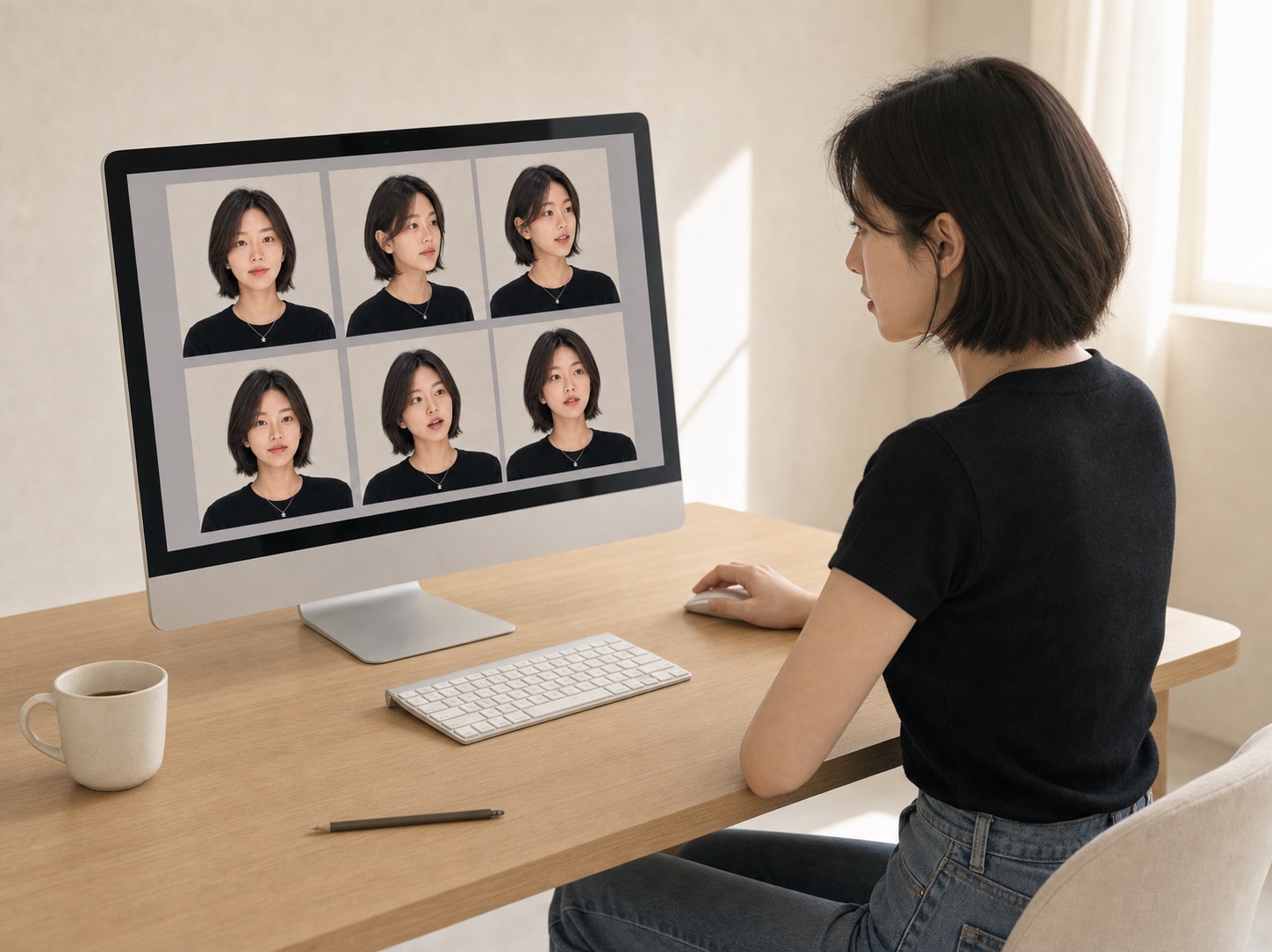
References should also be separated by role, rather than collected as attractive images in a single folder. The structure of a location, a person's identity, the required expression and angle, and the channel's recurring layout each serve different criteria. Especially when using the same person repeatedly, centering the selection on one frontal identity reference, one reference for the requested expression, and one for the requested angle can reduce the problem of the face being averaged out.
Finally, generation and editing should be treated as different tasks. In generation, decide the scene, composition, and size of the evidence. In editing, correct only one issue, such as a hand, gaze direction, or the height of a structure. Dividing the scope this way helps prevent the entire image from falling apart with each edit and leaves you with standards you can reuse.
The 5 Building Blocks of a Thumbnail
Rather than adding more of every element, define the role of each one in a single sentence.
| Element | Question to Answer | Role in the Image |
|---|---|---|
| Subject | Whose story is it? | The first place the viewer's eye should land |
| Proof | What proves the fact in the title? | An object or structure recognizable even at a small size |
| Action | What is happening right now? | A gesture or movement showing the relationship between the person and the evidence |
| Emotion | Why do we want to keep looking at this scene? | Expression and gaze that create tension, surprise, or curiosity |
| Space | Where did it happen? | Location cues that explain the context of the event |
10 Steps to Creating AI Thumbnail Images
Rather than trying to make the finished image from the outset, address planning, generation, editing, and review in sequence.
-
01
Scene
Turn the title into a one-sentence scene.
Do not put the title straight into the image tool. Rewrite it as a scene sentence that includes a person, location, action, and an object that substantiates the title. Instead of 'an amazing space,' use something you can picture, such as 'In a small workshop, a person makes products by hand and compares the finished pieces.'
What to checkSomeone reading the sentence should be able to picture the same scene.
Common mistakeListing only atmosphere and adjectives without describing an actual event.
What this step taught meAI interprets a scene that could be photographed more reliably than an abstract title.
-
02
Reference
Separate references by role.
Prepare separate materials for the location's structure, the person's identity, expression and angle, and the layout you want to repeat. Trying to copy a face, clothing, background, and composition from a single reference may bring along unwanted elements.
What to checkYou should be able to explain whether each reference is for a face, expression, angle, location, or layout.
Common mistakeFeeding in several images you like at once without explaining their roles.
What this step taught meDistinct, non-overlapping roles matter more than the number of references.
-
03
Proof
Choose three visual elements that substantiate the title.
Keep only evidence directly connected to the title, such as the defining feature of a location, a key object, and a person's action. Choose large, simple elements whose shapes remain recognizable on a small screen.
What to checkWith the title hidden, someone should be able to infer the video's topic from those three elements alone.
Common mistakeContinually adding small props out of concern that the image lacks information.
What this step taught meA thumbnail's persuasive power comes from the clarity of its evidence, not the amount of information.
-
04
Gaze
Keep the number of people to three or fewer, and connect their gazes.
Have the main subject look toward another person or a piece of evidence, with gestures and body direction pointing back toward the event. More people mean smaller faces and more errors in hands, legs, and gaze direction.
What to checkYou should be able to explain what each person is looking at and why they are there.
Common mistakeHaving everyone look only at the camera or in unrelated directions.
What this step taught meGaze is an invisible arrow that binds multiple elements into a single event.
-
05
Safe Area
Leave a safe area for the title from the start.
Generate the image without text and reserve an area at the bottom or on one side for the title to be added in post-production. Place faces and key evidence outside that safe area, and fill it with background that can be cropped without losing the meaning.
What to checkAdding the expected two-line title should not obscure faces or evidence.
Common mistakeFinishing the image first, then forcing the title into whatever empty space remains.
What this step taught meText space is not a post-production problem. It is part of the composition from the start.
-
06
Identity
Separate identity, expression, and angle for recurring people.
When the same person appears repeatedly, work around the clearest frontal identity reference, one image for the requested expression, and one for the requested angle. Specify that the references are for the face, hair, expression, and angle only, and that the background or clothing in the photos should not be copied.
A prompt to copy and useIDENTITY LOCK - Main Subject The main subject is the exact same real person shown in the supplied references. Preserve facial structure, age, hair silhouette, skin texture and natural expression. Use one frontal identity reference, one requested-expression reference and one matching-angle reference. Do not create a generic look-alike. Do not copy the reference-room background. The references are for face, hair, expression and viewing angle only.
What to checkThe three selected photos should show the same period and appearance and relate directly to the requested scene.
Common mistakeAdding many photos from different periods in pursuit of accuracy, causing the face to be averaged out.
What this step taught meSeparating identity references from scene references lets you control the face and background independently.
-
07
Generate
Check only the overall composition in the first generation.
In the first result, look only at the location, size of the people, event, evidence, and title space. Do not remake the whole scene because of small errors in fingers or skin texture. Generate a text-free 16:9 original with a consistent camera and lighting setup throughout the frame.
A prompt to copy and useFORMAT Create a photorealistic, high-resolution 16:9 YouTube thumbnail image. No text, logo or watermark. Reserve the lower [30%] as a safe area for a large title added later. CORE STORY The video is about: [the video's content in one sentence]. The image must clearly prove: [the key fact in the title]. PEOPLE & ACTION Main subject: [host/resident/product]. Action: [the specific action taking place in one frame]. Expression and gaze: [expression], looking toward [another person or the evidence]. VISUAL PROOF Show these three large, unmistakable elements: [evidence 1], [evidence 2], [evidence 3]. They must explain the topic even when viewed as a small thumbnail. COMPOSITION Place [location evidence] on the left, [the event] in the center and [the main subject] large on the right. Use one coherent camera, perspective, lighting direction and color grade. QUALITY / AVOID Natural anatomy, hands, legs and eye direction. Realistic skin and material texture. Avoid malformed limbs, duplicated people, random lettering, fake signs, mottled AI texture, excessive HDR, collage seams and an unrelated generic background.
What to checkThe visual priorities of the subject, event, and evidence should be clear even before reducing the image.
Common mistakeRegenerating the entire image repeatedly to perfect fingers and fine textures from the first result.
What this step taught mePolishing details will not create a clickable thumbnail if the overall structure is wrong.
-
08
Edit
Edit only one problem at a time.
Instead of broad instructions such as 'make it look better,' specify exactly which area should change and what the result should be. At the same time, explicitly lock the elements that should remain, such as the face, background, camera, lighting, and crop.
A prompt to copy and useEDIT ONLY Change only: [the one thing to edit]. Make it: [the specific result]. KEEP UNCHANGED Keep unchanged: [other people], [background], [lighting], [camera], [crop], [clothing], [key structure]. Preserve the exact identity of every person and the existing 16:9 composition. Do not add text or new objects.
What to checkA before-and-after comparison should show a change in only the one requested element.
Common mistakeChanging hands, face, background, and atmosphere simultaneously in one instruction.
What this step taught meTargeted editing corrects the result while protecting the elements you have already gotten right.
-
09
Small Test
Run a 2-second check on a small screen.
Reduce the thumbnail to the size of a phone listing and check whether the subject, evidence, and event become clear in that order. Enlarge or remove props that become indistinct, and also check for conflicts between facial expressions and the title area.
What to checkA first-time viewer should be able to state the video's topic and most important evidence within 2 seconds.
Common mistakeChecking detail and resolution only on a large monitor.
What this step taught meA thumbnail's final viewing environment is a small recommendation listing, not an enlarged display.
-
10
Finish
Save the text-free original and add the title in post-production.
Keep a separate final original without text, and add the title, outlines, and arrows as layers in an editing tool. By not overwriting the original, you can quickly test multiple versions with different titles and layouts.
What to checkKeep the original image separate from the finished publishing version, and check the mobile-sized version as well.
Common mistakeUsing imperfect AI-generated lettering as-is, or keeping only the finished version.
What this step taught meSeparating generation from typography improves both editing speed and reusability.

How a Title Becomes a Scene Worth Clicking
Planning before generation and review afterward determine thumbnail quality more than the generate button does.
- 01TitleThe core promise
- 02ScenePerson, place, and action
- 03ProofThree large elements
- 04GenerateComposition first
- 05EditOne problem at a time
- 06Review2 seconds on mobile
How to Correct Unstable Results by Cause
Before regenerating everything, identify the single biggest problem.
The topic comes across weakly.
The key evidence may be too small or pushed behind a decorative background.
What to aim forMove the evidence into the foreground and clearly show its relationship to the action
The person looks like someone else.
The roles of the reference photos may be mixed, or you may have included too many different appearances.
What to aim forReduce the selection to three images: frontal identity reference + requested expression + requested angle
Hands and legs look unnatural.
Complex occlusion and contact surfaces, or too many people, may have disrupted the body's connections.
What to aim forKeep faces and background fixed, and regenerate only the entire affected body part with natural joints
The image looks like several pictures pasted together.
The people and background may have different camera setups, perspectives, light directions, or shadow intensities.
What to aim forUnify the lens, vanishing point, lighting direction, and color grade
Fake lettering appears.
Signs, labels, and titles were likely requested together during generation.
What to aim forExplicitly prohibit letters, numbers, signs, and logos, and add the title in post-production
Skin and surfaces look excessively sharp.
Overlapping requests for texture, HDR, and sharpness can create blotches and a plastic appearance.
What to aim forSpecify natural skin and materials, restrained sharpness, and gentle tonal transitions
Visual Evidence Changes with the Type of Video
Rather than copying the same composition, change what substantiates the title.
Interviews and personal stories
Use a large face, eye contact with the other person, and an object or setting that represents the conversation as evidence.
What to aim forMake the expression and relationship clear first
Travel and documentaries
Connect a location's distinctive structure, a local person's action, and the host's reaction in one scene.
What to aim forEmphasize the location's defining feature rather than scenery in general
Product reviews and comparisons
Make the product's scale, before-and-after use, materials that reveal differences, and the act of using it the core evidence.
What to aim forVisualize the difference rather than the product name
Education and tutorials
Show the finished result, key step, and point where users get stuck in a before-and-after relationship.
What to aim forShow the change in the result before the process
“A thumbnail is not an image that decorates a video. It is a scene that substantiates the title's promise at a glance.”
Park Siha · SIHA
Putting it into practice
- 01Rewrite the video title as a one-sentence scene containing a person, location, action, and evidence.
- 02Separate references for location, personal identity, expression and angle, and layout by role.
- 03Choose only three large, specific visual elements that substantiate the title.
- 04Keep the number of people to three or fewer, and direct their gazes and gestures toward the event.
- 05Reserve a safe area for a title to be added later, at the bottom or on one side, away from faces and evidence.
- 06Check only composition and evidence in the first generation, then edit one problem at a time.
- 07Reduce the image to a phone listing size and check whether the topic, face, and evidence are clear within 2 seconds.
- 08Keep a text-free original, and add the title, outlines, and arrows on separate layers.
Thumbnail Checklist Before Uploading
If you are unsure about any item, edit that item alone rather than remaking the entire image.
I can describe the video's content as a one-sentence scene.
The three visual elements that substantiate the title are clear.
The visual priority of the subject and event is clear even on a small screen.
The people's gazes and gestures point toward the event or evidence.
A safe area for a two-line title is empty.
Faces, hands, legs, and contact surfaces look natural.
There is no fake lettering, logo, watermark, or visible collage seam.
Skin and materials do not look excessively sharp or plastic.
The topic is clear within 2 seconds when the image is reduced to phone size.
I have saved the text-free original and the finished publishing version separately.
Further thoughts
The purpose of this workflow is not to repeat the same composition for every video. It is to separate planning, generation, and editing so that the fact promised by the title can be understood in the shortest possible time. Even as new image tools appear, the same standards for scene, evidence, gaze, safe area, and small-screen review can be carried over.
When using an AI-generated human face, use only your own face or reference materials for which you have clear consent. Do not replicate a celebrity's or another person's face without permission, and keep original face photos separate from public repositories and distribution files. Even when using a fictional person, avoid names and descriptions that could lead viewers to mistake them for a real individual.
A good thumbnail is not the most provocative image, but one that quickly explains the video's content without exaggeration. The video must fulfill the thumbnail's promise after the click if you want to build watch time and trust in the channel alongside views.